.webp)
Proper and safe battery charging and maintenance are critical aspects of drone operation, directly impacting flight safety, battery lifespan, and equipment reliability. This article uses FPV batteries as an example to detail how to charge them correctly and safely using a charger.
I. Check Key Battery Parameters
Before charging, confirm the battery’s specifications, typically found on the FPV battery label.
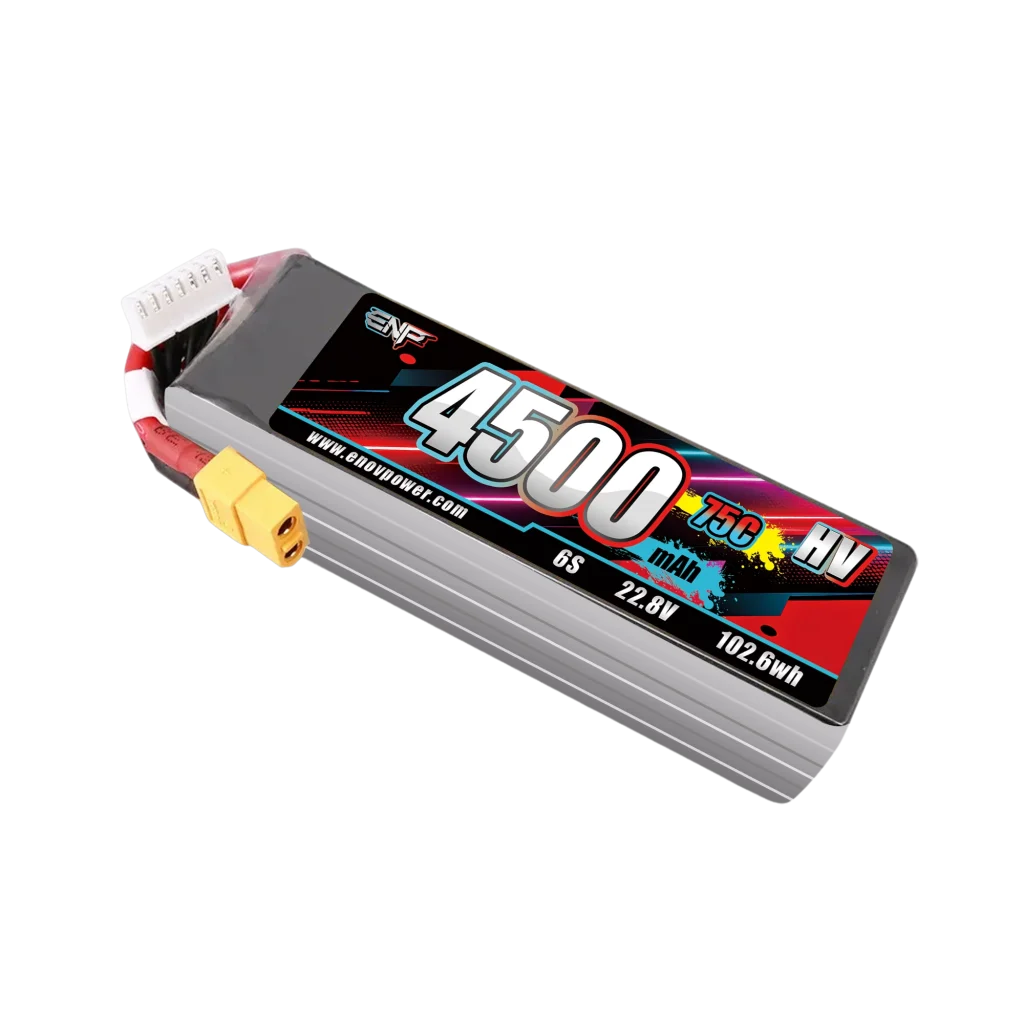
● Voltage: Determine whether it’s standard voltage or high voltage. High-voltage batteries are typically labeled with “HV.” Standard FPV batteries should be charged at 4.2V per cell, while high-voltage batteries require 4.35V per cell.
● Capacity: Indicates the battery’s power storage.
● C-Rate: Represents the battery’s discharge rate. A higher C-rate allows for faster discharging.
● Connector: Common types include PH2.0, BT2.0, XT30, and XT60.
● Balance Lead: This functions like a data cable. It communicates the current voltage of each cell to the charger, enabling simultaneous charging and balancing of all cells. Sometimes it allows direct charging, and other times it can power additional devices.
II. Detailed Charging Tutorial
Most importantly, you must purchase a smart charger with balancing functionality. If you already own one, continue reading. This tutorial uses the ENP 4500mAh as an example to explain the charging steps.
1. Determine if an adapter is needed: If your charger only supports XT60 and your battery connector is XT30, you need an adapter to convert the voltage to match your battery’s requirements. If the battery connector is XT60 and the charger supports XT60, you can plug it directly into the charger.
2. Cable Connection Order: First insert the XT60 connector, then insert the balance lead. Always follow this order; otherwise, the battery may be damaged.
3. Battery Type: Enter the charger’s settings page and select LIHV.
4. Number of Cells: As indicated on the label, this battery has 6 cells in series. Set it to 6 Cells.
5. Charge voltage: This is a high-voltage LIPO battery. The charge voltage per cell is 4.35V. With 6 cells total, set the charge voltage to 4.35V * 6 = 26.1V.
6. Charge current: Typically charge at 1C for maximum safety. Charge current = (4500 / 1000) Ah * 1C = 4.5A
7. Once configured, charging can commence.
III. Safety Notes for Charging
1. Place the charger on a dry, heat-resistant, non-flammable surface such as concrete or tile flooring.
2. Remain near the charger during charging.
3. Monitor battery temperature during charging. Generally, batteries should feel warm but not hot. If the battery becomes uncomfortably hot to the touch, immediately stop charging. Inspect the battery condition and charger settings to prevent fire hazards.